
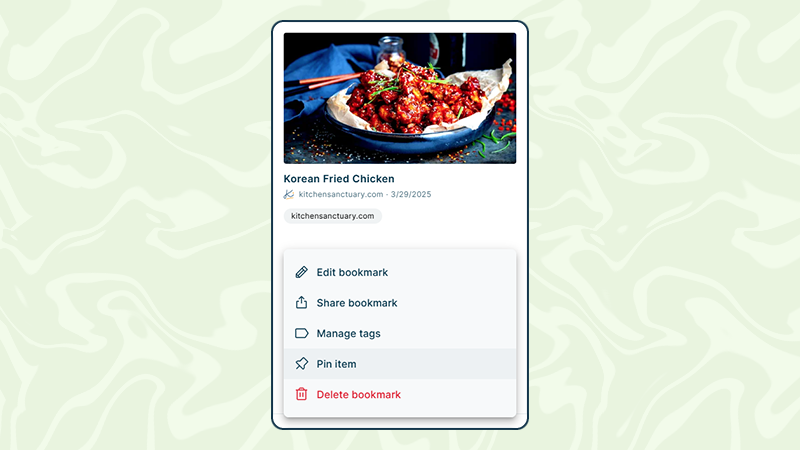
From now on, users can pin bookmarks and notes directly in the interface to keep important content easily accessible at all times. Pinned entries remain visible and allow especially fast access to frequently used information.
How it works:
Any entry (bookmark or note) can be pinned.
Pinned entries appear at the top of the interface, making them quickly accessible at any time.
Users can create as many pins as they like.
The order of the pins can be freely adjusted, so the most important content stays at the top.
Typical use cases
Keep work resources within easy reach
Users can pin important tools, documentation, or dashboards they need daily — for example project links, internal wikis, or frequently used websites.Organize active research or projects
During research, key sources or notes can be pinned to quickly switch between the most important information.Structure a personal knowledge base
Users can keep essential references such as cheatsheets, guides, or frequently needed notes permanently at the top.
With Pins, it becomes even easier to stay organized and have the most important content instantly available.